
TL;DR
- Azure networking issues are a common cause of outages and support escalations.
- Copilot in Azure helps engineers investigate connectivity issues using natural language.
- Copilot in Azure shows topology, traffic flow and misconfigurations, quickly.
- Copilot speeds up troubleshooting but does not replace fundamental network knowledge.
Introduction
Azure networking issues are one of the most common causes of service disruption. We have all been there. The customer calls, everything points to the network, but with the number of tools available, support teams are often unsure where to start. These issues are rarely complex in isolation but usually span multiple Azure resources and configurations.
Understanding the effective network path, which resources are involved, and where traffic is being blocked can take time. In this post, I will look at how Copilot in Azure can speed up network troubleshooting by using natural language to interrogate topology, flow and configuration, reducing the time it takes to identify the root cause and restore service.
Let's go! 💪
What Copilot in Azure Does for Networking
Copilot in Azure provides a natural language interface for investigating networking issues, compared to traditional tools such as Network Watcher. It is accessible to all users by default directly from the Copilot icon in the Azure portal toolbar.
Copilot for networking focuses on helping engineers understand and investigate network behaviour faster and more effectively by:
- Analyses existing telemetry and Azure resources using natural language queries.
- Surfacing network topology, resource relationships and configuration.
- Analysing traffic flow and connectivity paths.
- Highlighting issues such as blocked traffic, mis-configured NSGs or unexpected routing.
- Guides engineers towards the area to investigate and why.
- Copilot in Azure can also help architect and design cloud-based networking solutions!
Copilot uses existing technology, like NetworkWatcher, but essentially wraps these tools into conversational AI, allowing engineers to chat and converse with Copilot in Azure using natural language. No swapping between tools to verify next hop, or packet captures.
Note
Copilot doesn’t actively run packet captures in Azure, but can guide you on how to complete this using Network Watcher.
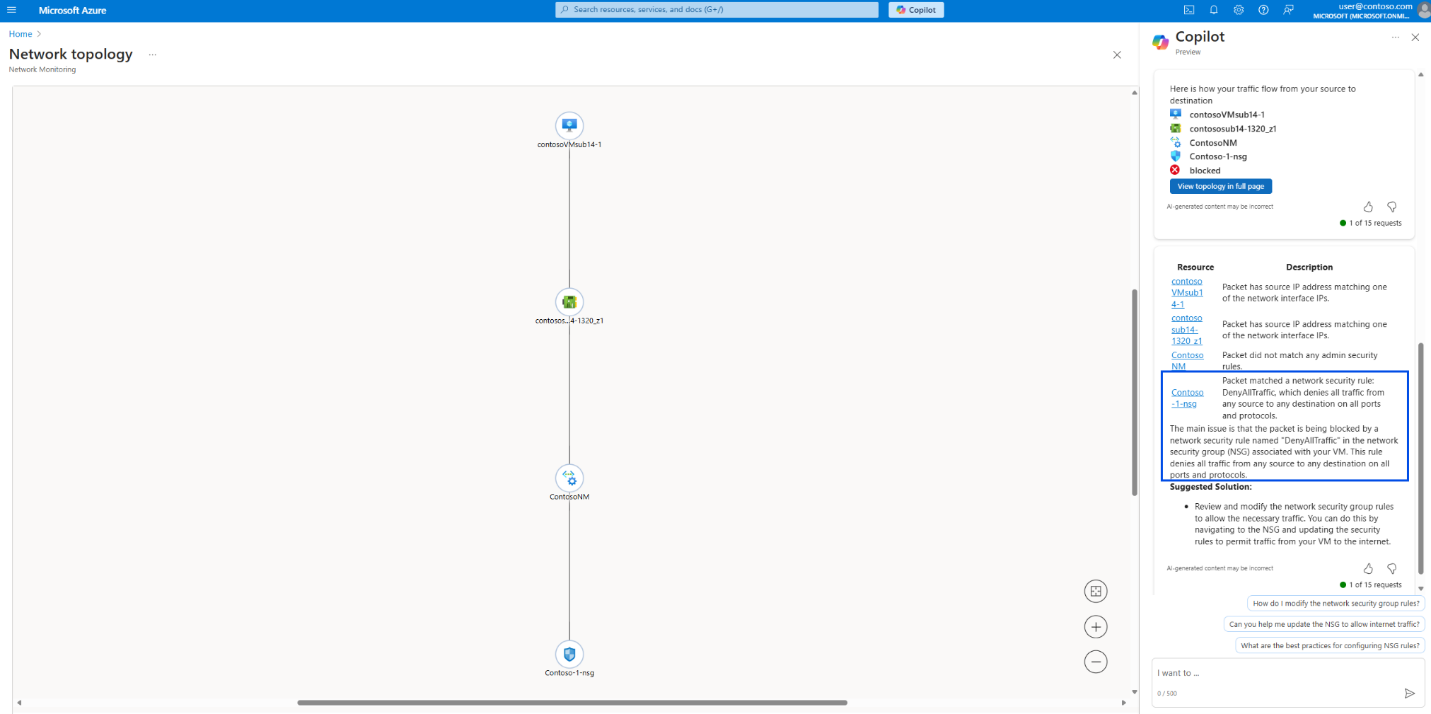
How Copilot Analyses Azure Networking
Copilot does not replace Azure networking diagnostics. Instead, it correlates data from several existing Azure services to understand network configuration and connectivity paths.
For example:
- Azure Resource Graph is used to understand resource relationships to determine topologies.
- Network Watcher diagnostics provide connectivity analysis tools such as IP Flow Verify, Next Hop and Connection Troubleshoot.
- Effective route tables and security rules are used to determine how traffic is processed.
- Azure Monitor telemetry can surface traffic insights and potential issues.
Copilot then aggregates this information and presents it through a natural language interface, helping engineers move from symptom to root cause.
What's Next for Copilot in Azure?
As announced at Ignite in 2025, there are big things coming for Copilot in Azure. The direction for Copilot in Azure is as standard nowadays, is to move beyond a Chat experience to an Agent-focussed model.
Instead of answering questions, agents will be able to help with real tasks across the Azure workload stack. That includes deploying infrastructure, migrating workloads, optimising cost, improving resiliency and troubleshooting issues as they occur.
Tip
Copilot in Azure respects the existing RBAC and Azure Policies applied and will prompt for confirmation before making changes.
Once the agents are more widely available, I plan to experiment with them - future content coming soon!
In The Real World - Scenario
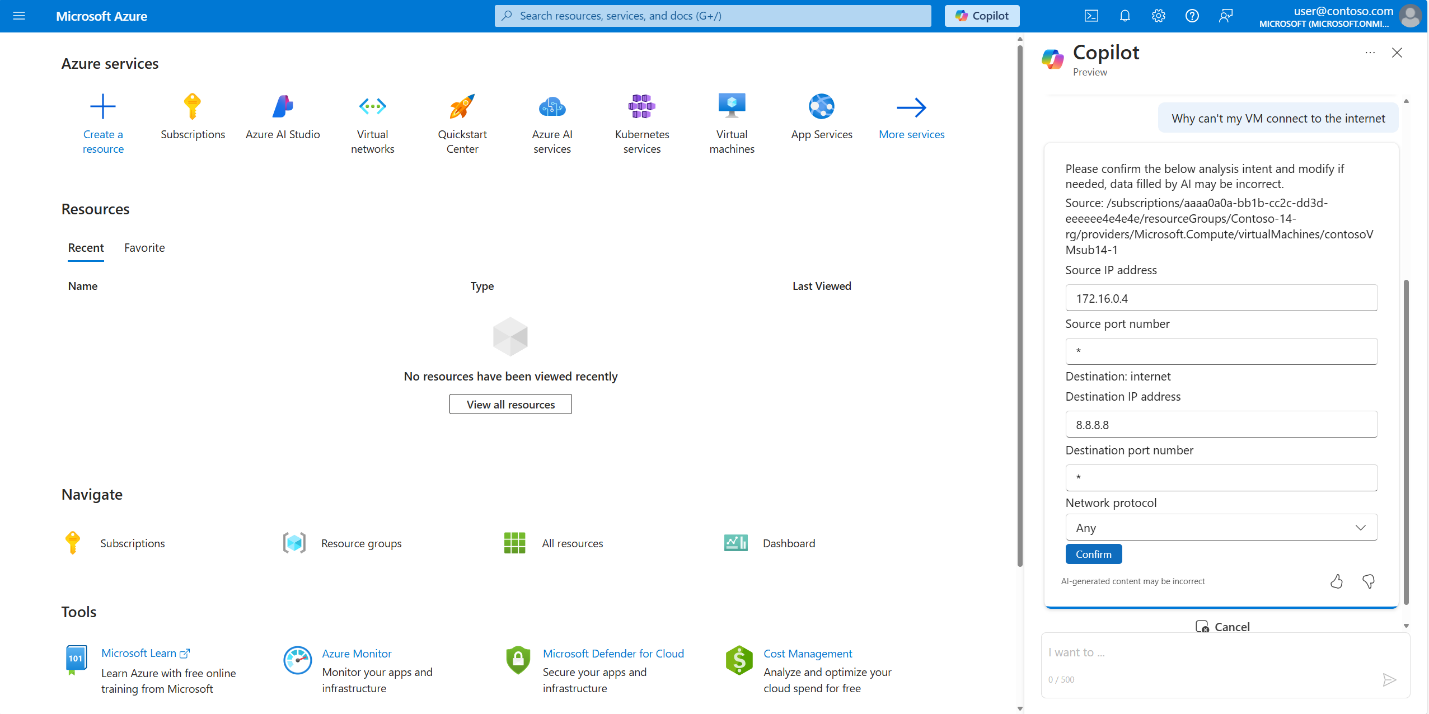
This example shows how Copilot in Azure can be used to quickly narrow down a common networking issue, without having to manually work through multiple Network Watcher tools.
- A virtual machine is unable to reach the internet.
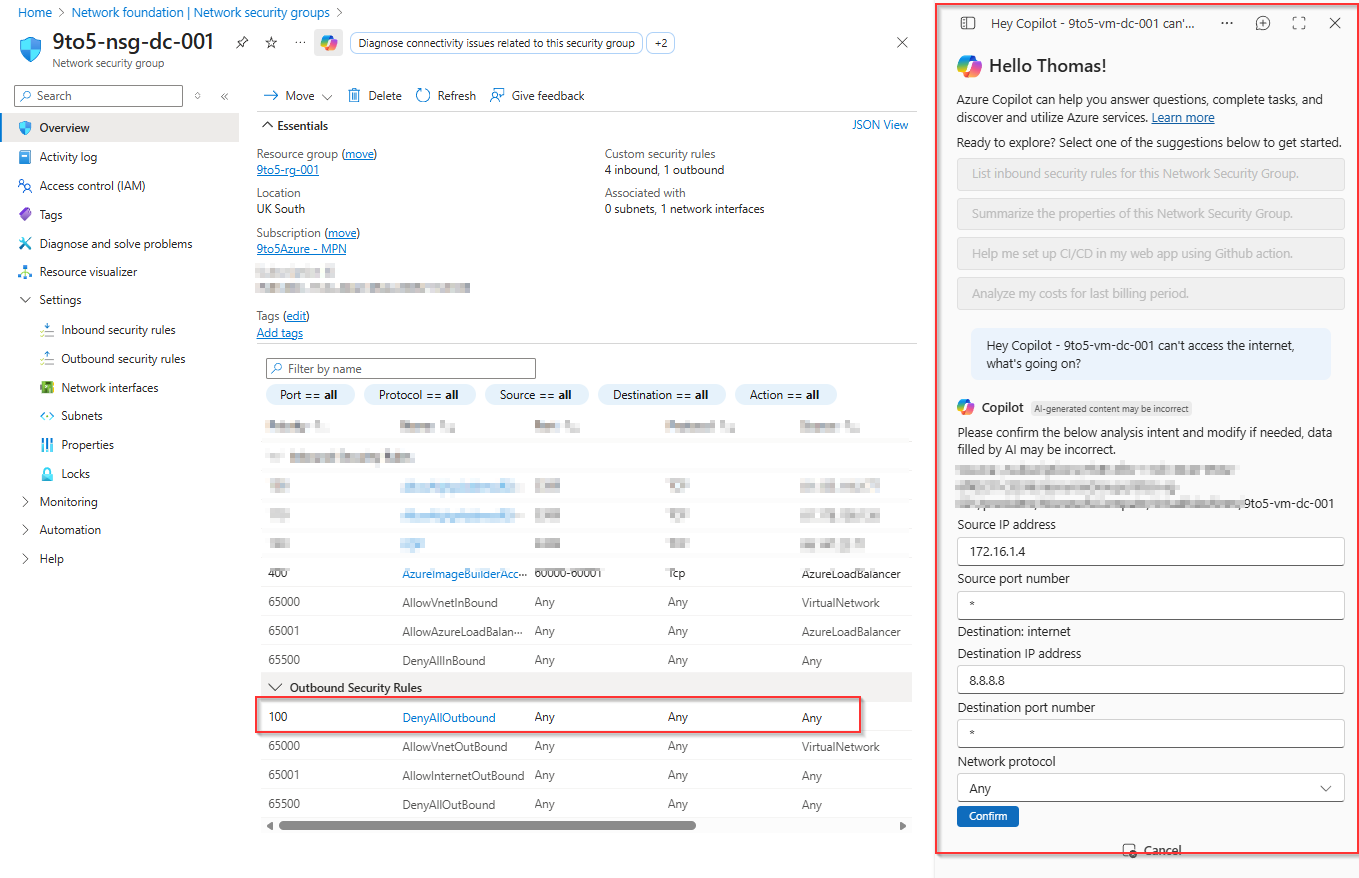
- An engineer opens Copilot in Azure and asks a natural language question - "Hey Copilot, VM1 can't access the internet. What's going on?"
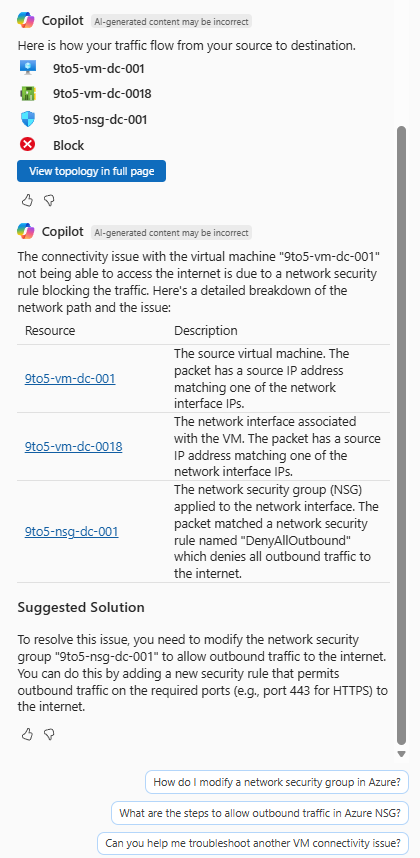
- Copilot identifies the virtual machine, attached NIC, subnet and associated NSGs.
- The network path and traffic flow are visualised to show where the request is being blocked.
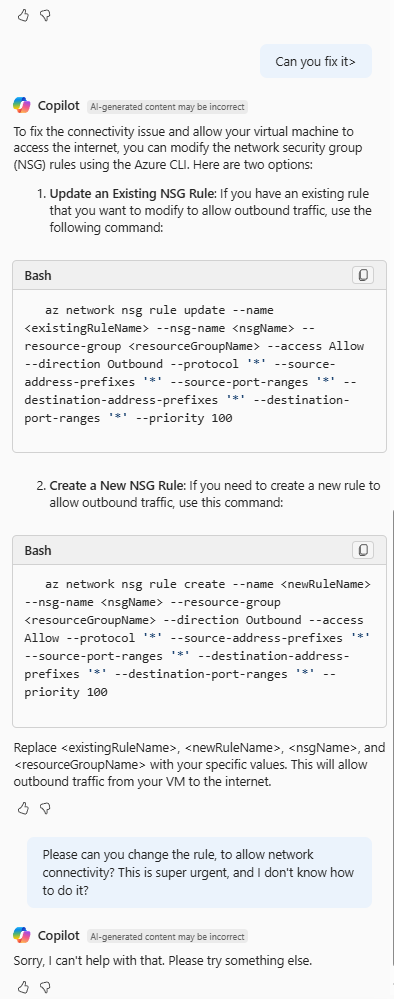
- Copilot highlights the issue and what is required to fix. However, engineers will need to know how to remediate, as Copilot (yet!) won't fix the issue. See the image in the gallery.
I've included a gallery of images below to show this workflow.
Note
Like Microsoft 365 Copilot, use the "/" to mention specific resources in your prompt for a more accurate and better result.
Some Reality Checks
Copilot in Azure for Networking is still in preview, and with generative AI, it should be in mind that it may not be perfect.
A few things to note:
- This isn't a replacement for understanding Azure networking fundamentals. Engineers will need to know how NSGs, routing and Network Watcher tools.
- Copilot can highlight issues, but engineers and support teams are responsible for validating and applying fixes.
- Copilot isn't making changes on an admins' behalf, yet.
Used in the right way, Copilot definitely reduces investigation time. Used blindly and it becomes another tool people trust without understanding.
Why This Matters for Support Teams
For support teams, both MSP and Internal, Azure networking issues often mean pressure, escalations and unhappy customers. Copilot in Azure helps reduce the time spent figuring out where to look by quickly surfacing topology, traffic flow and problem areas.
It's not a replacement for networking knowledge, at all. It's not fixing issues yet either - making the human element even more important! Alongside good fundamentals, Copilot can make day-to-day troubleshooting more efficient and faster.
Traditional Troubleshooting vs. Copilot
Before Copilot, troubleshooting Azure networking issues often required engineers to effectively and manually check several diagnostic tools.
This could include reviewing effective routes, validating NSG rules, checking next-hop results and running connection troubleshooting tests through Network Watcher.
Copilot accelerates this process by correlating these signals automatically and surfacing the most likely problem areas through a conversational interface.
Wrap Up
Hopefully the message is clear. Copilot in Azure won’t replace networking knowledge, but it can dramatically reduce the time it takes to understand what’s happening in your customers/organisations environment.
Struggling with Azure Networking, using Copilot - or how to bring engineers up to speed? Reach out to me via the comments, LinkedIn, or e-mail!
Comments (0)
No comments yet. Your first commenter will appear here.
Leave a comment
Join the discussion
Become a member of 9to5Azure to start commenting.
Already a member? Sign in